Namely
Namely
Your shortlist

Your Baby Name List and Shortlist, Beautifully Organised

Somewhere between the first name you liked and the name on the birth certificate, there are dozens of maybes. Namely keeps every one of them organised: a Likes list for the names you love, a Matches list for the names you both love, and stars for the ones that make your heart skip.

iPhone, iPad & Android Private by design Loved by couples
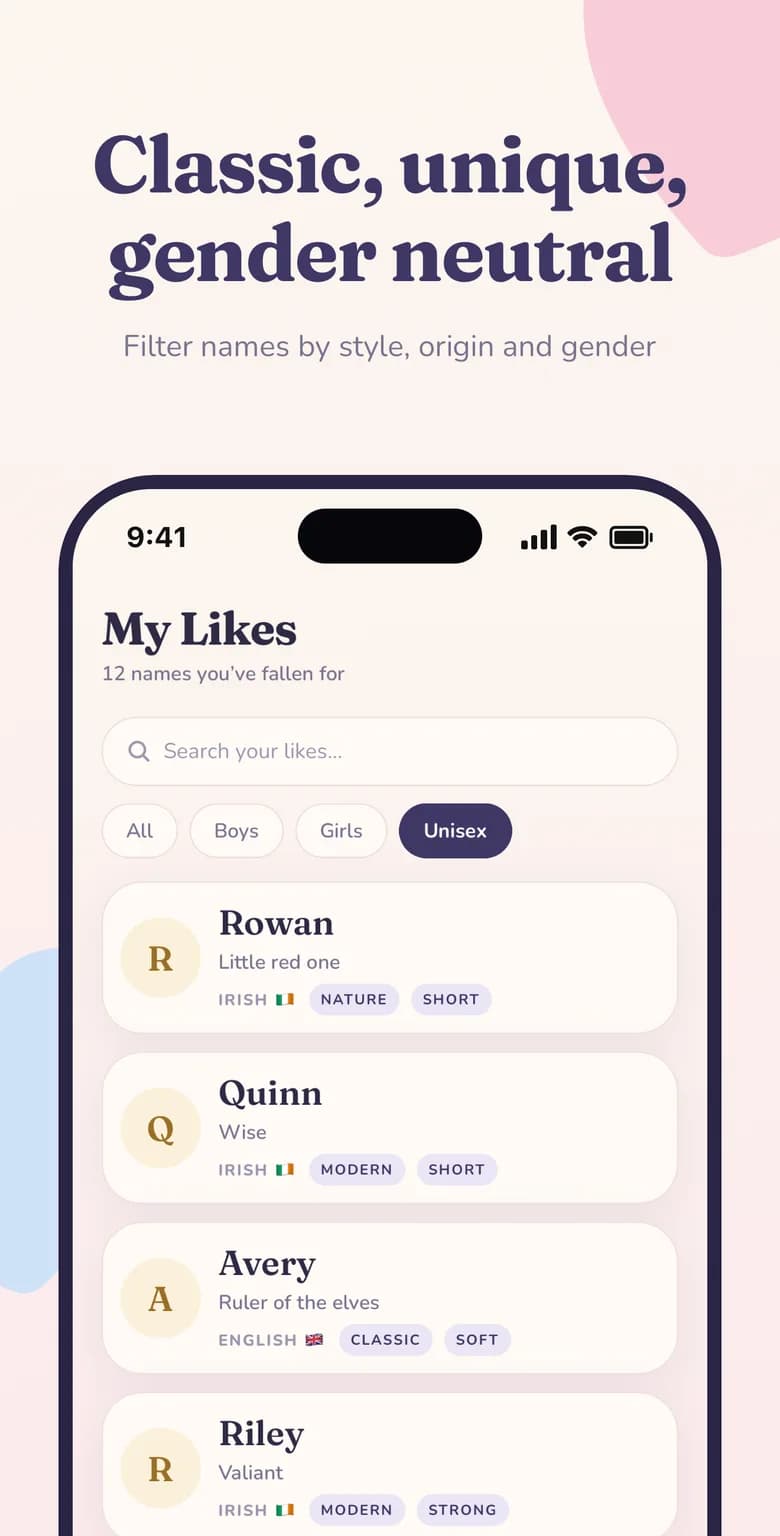
Filter baby names by boy, girl or unisex, style and origin in the Namely Likes screenSearchable likesShared matchesStarred favourites

Why it matters

Likes, Matches & Shortlist at a glance

Every liked name, every match and your starred favourites — organised and searchable.

  • Every like saved

    Each name you swipe right on is kept in your Likes list automatically.

  • Matches in one place

    Names you both liked live together in a shared Matches tab.

  • Star your favourites

    Mark the front-runners so your final shortlist is always one tap away.

  • Search and filter

    Find any saved name by text or by Boys, Girls and Unisex.

Three lists that turn maybes into a decision

Namely organises your name search into three simple layers, each one closer to the final answer:

  • LikesEvery name you personally liked — your private long list.
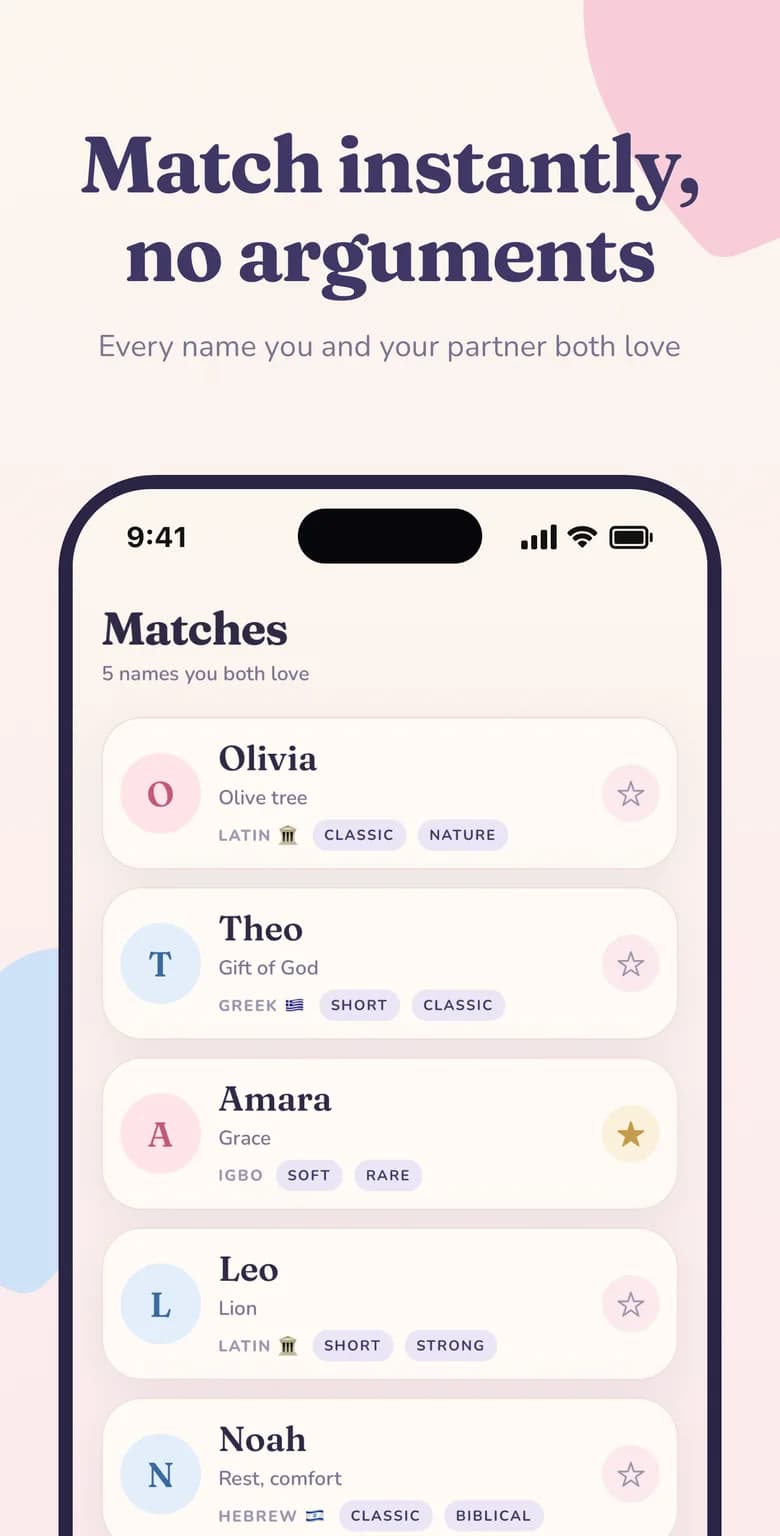
  • MatchesNames both you and your partner liked — your shared shortlist.
  • StarredThe matches you've marked as favourites — your final contenders.

Your Likes: a searchable long list

The Likes tab shows how many names you've fallen for and lists each one with its meaning, origin and style tags. Use the search bar to find a name instantly, or switch between All, Boys, Girls and Unisex to compare like with like.

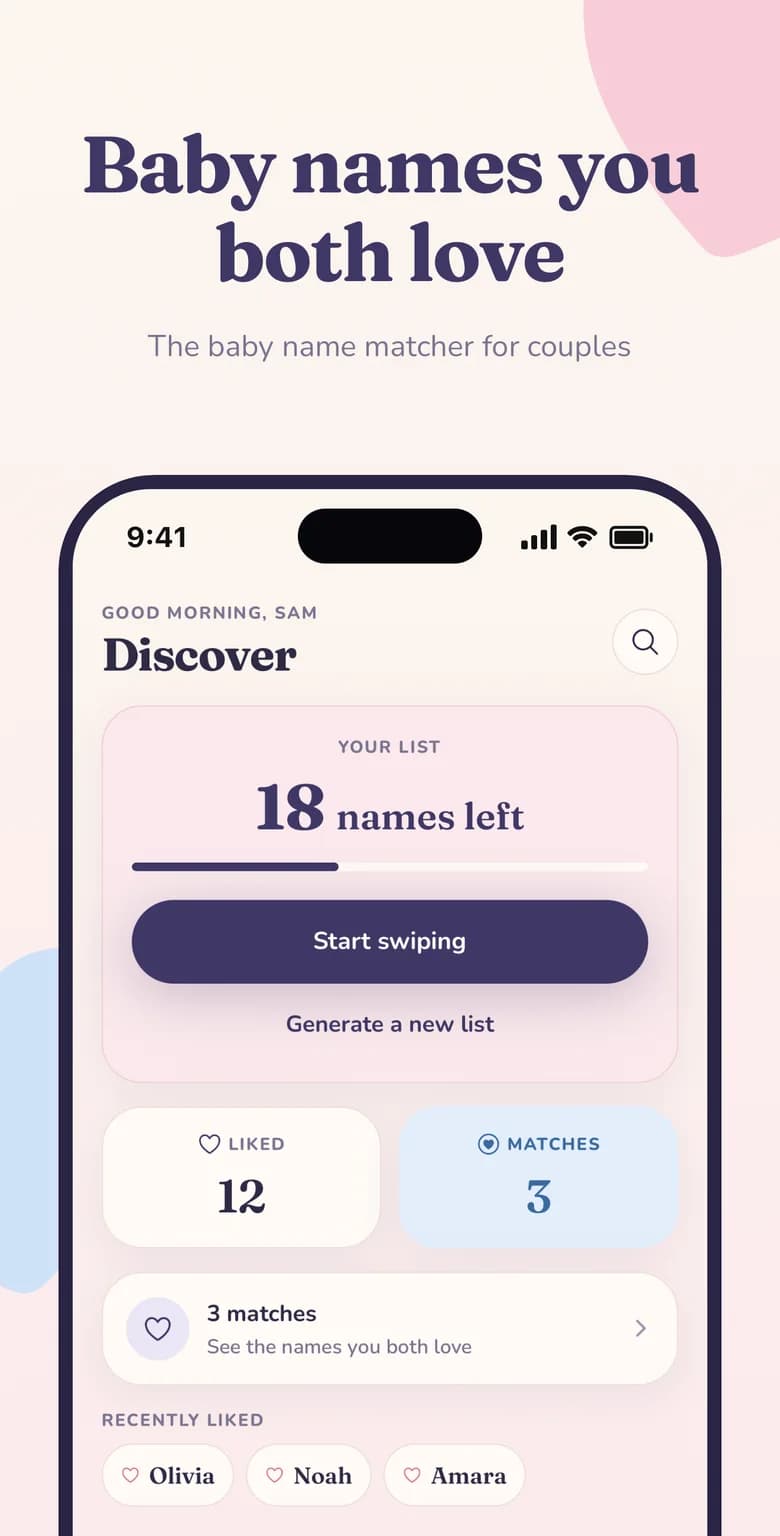
The home screen also shows your most recently liked names as quick chips, so a name you loved this morning is never more than a tap away.

Matches and stars: your shortlist

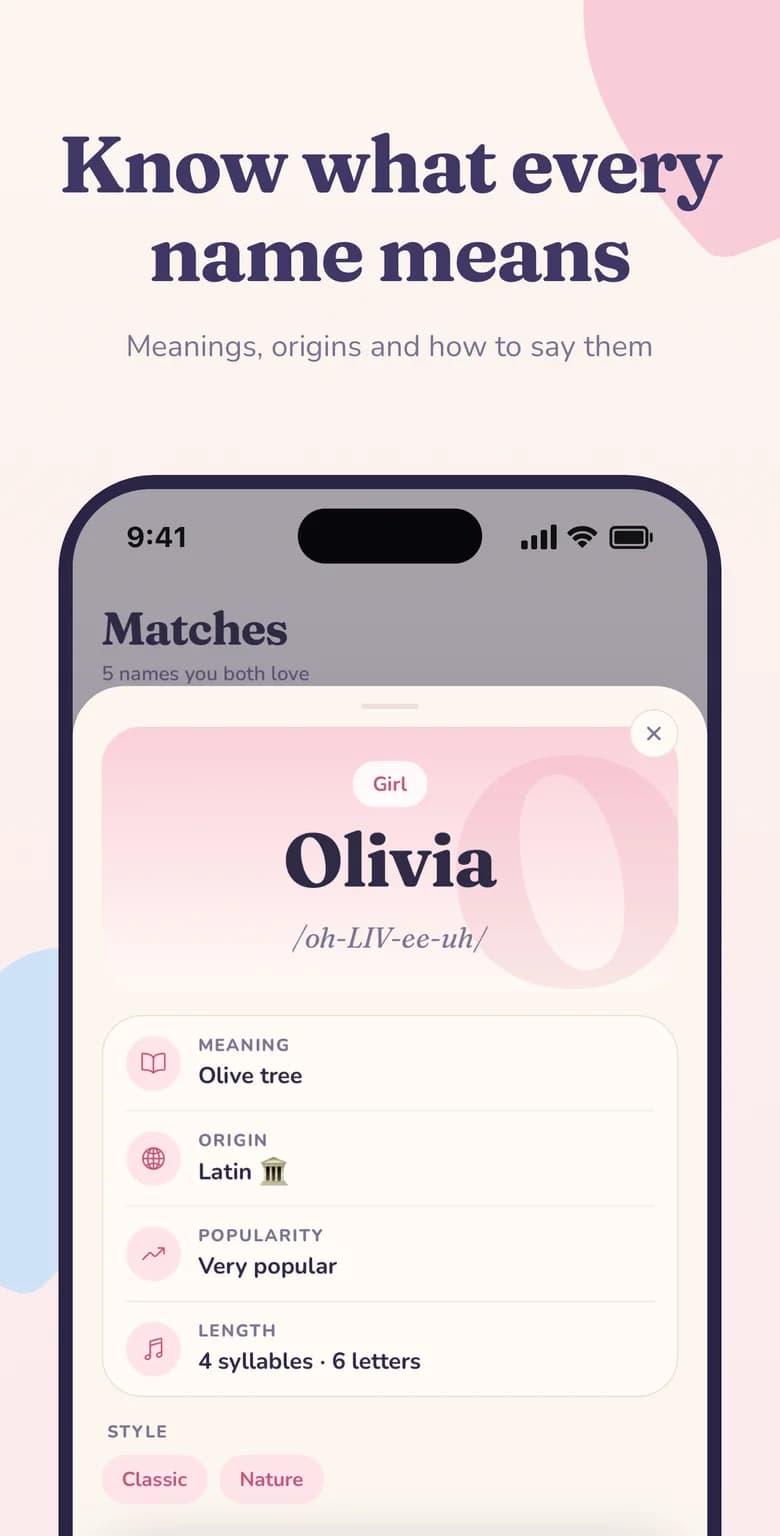
Every match appears in the Matches tab with the same rich details as your likes. Tap the star next to a match to mark it as a favourite. When you open the full profile you'll see pronunciation, popularity, syllables and letter count, plus a Star this name button — perfect for comparing your top few side by side.

How many names should be on your shortlist?

There's no perfect number, but many couples find that three to five starred names is the sweet spot: enough to keep options open, few enough to talk through properly. Some parents even wait to meet their baby before choosing between their final two. Namely keeps your shortlist safe until you're ready.
Namely for expecting parents

Get started in minutes

How to use likes, matches & shortlist in Namely

  1. Like names as you swipe

    Each heart adds the name to your Likes list.

  2. Collect matches

    Names you both liked appear in Matches automatically.

  3. Star your favourites

    Tap the star on the matches you love most.

  4. Decide together

    Review your starred names and choose the one.

Namely baby name matcher home screen showing names left to swipe, liked names and partner matches
Baby names you both love
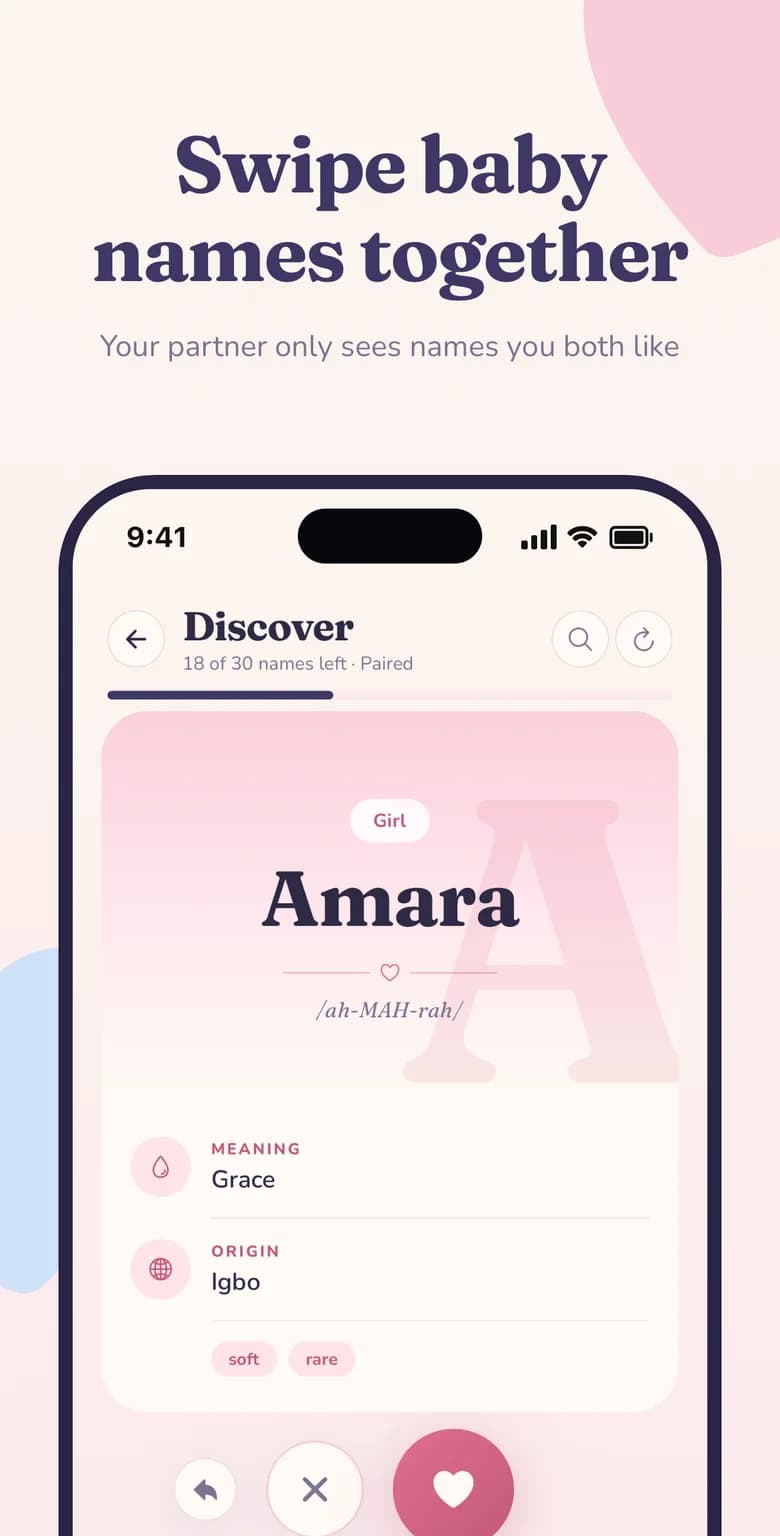
Swipe baby names together — Namely name card for Amara with meaning, origin and pronunciation
Swipe baby names together
Namely Matches screen listing baby names both partners liked, with meanings and origins
Match instantly, no arguments
Baby name meaning, origin, pronunciation, popularity and syllables for Olivia in the Namely app
Know what every name means
Filter baby names by boy, girl or unisex, style and origin in the Namely Likes screen
Classic, unique, gender neutral
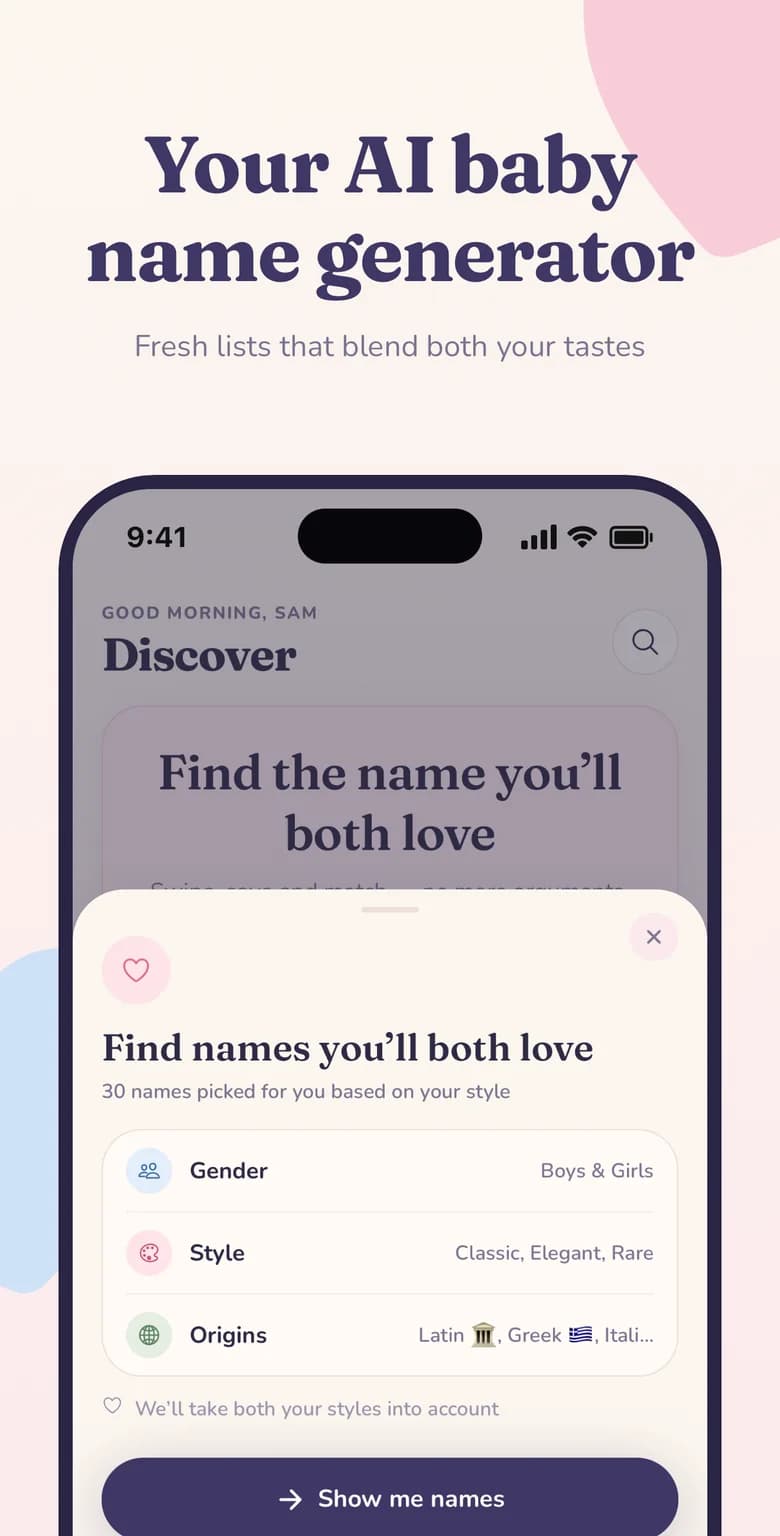
Namely AI baby name generator picking 30 names based on gender, style and origin preferences
Your AI baby name generator

FAQ

Likes, Matches & Shortlist: common questions

Where are my liked baby names saved?
Every name you like is saved in the Likes tab. You can search it and filter by Boys, Girls or Unisex.
What's the difference between Likes and Matches?
Likes are names you liked on your own. Matches are names that both you and your partner liked.
Can I star or favourite a name?
Yes. Tap the star on any match, or use the Star this name button on the full name profile.
Will I lose my list if I change phones?
No. Your likes and matches are tied to your account, so they're restored when you sign in on a new device.

Find the name you'll both love

Download Namely on iPhone or Android and try likes, matches & shortlist today — it takes less than a minute to get started.

Free to download · iPhone, iPad & Android · Cancel anytime